Tutorial 55: DualTextureEffect for Lightmaps
What you’ll learn
- Feeding two textures to
DualTextureEffectviaTextureandTexture2. - Why neither XNA nor CNA ships a dual-texture vertex type, and how to declare the second UV set yourself.
- The baked-lightmap workflow, and where the effect runs out of road.
Before you start — Tutorial 36: Texturing 3D Models (textured meshes) and Tutorial 51: Custom Vertex Types (a second UV channel is a vertex layout question). Requires a 3D-capable renderer such as OPENGLES3 or VULKAN; the 2D-only renderer (SDL_RENDERER) throws on 3D calls.
Lightmapping is one of the oldest and most effective techniques for delivering high-quality static lighting at minimal runtime cost. The idea is to precompute all indirect illumination, soft shadows, and ambient occlusion offline, bake the result into a second texture (the lightmap), and then multiply it into the diffuse albedo during rendering. CNA's built-in DualTextureEffect implements exactly this pipeline in a single shader pass, supporting two independent UV channels, optional per-vertex colour modulation, and fog.
DualTextureEffect Overview
DualTextureEffect combines two Texture2D objects in a single fragment shader pass. The first texture is the surface's diffuse albedo — the colour of the material under white light. The second texture is the precomputed lightmap. The fragment shader multiplies them together:
// Core of DualTextureEffect fragment shader (simplified, as in XNA/FNA)
vec4 albedo   = texture(u_texture,  v_texcoord1);
albedo.rgb   *= 2.0;                       // the first texture is doubled
vec4 lightmap = texture(u_texture2, v_texcoord2);
fragColor     = albedo * lightmap * u_diffuseColor;
This multiplication is physically motivated: a surface that reflects a fraction of incoming light, when lit by a certain intensity, outputs the product of the two. Two details come from XNA itself: the stock shader doubles the first texture's RGB before multiplying (base.rgb *= 2.0, exactly as XNA and FNA do), so a mid-grey (0.5) lightmap leaves the albedo unchanged and white brightens it; and there is no gamma decoding and no linear-space flag — the effect's whole public surface is the matrices, diffuse colour, alpha, fog, the two textures and vertex-colour enable. If your lightmap is stored in a gamma-compressed encoding, decode it when you bake or use a custom effect. An unbound texture samples opaque black, not white.
The key performance advantage of DualTextureEffect over a per-pixel lighting effect is that there are no light direction calculations at runtime. The GPU simply samples two textures and multiplies — this is an extremely fast path even on low-end mobile GPUs.
Texture and Texture2 Properties
The two textures are set via separate setter methods:
setTextureProperty(Texture2D*)— the primary (albedo) texture. Sampled using the first UV channel (TEXCOORD0: aTextureCoordinateelement with usage index 0). This should be a tiling, detail-rich albedo map.setTexture2Property(Texture2D*)— the secondary (lightmap) texture. Sampled using the second UV channel (TEXCOORD1: aTextureCoordinateelement with usage index 1; there is no element namedTextureCoordinate2). This is a unique (non-tiling) atlas per mesh or per room, produced by an offline lightmapper.
Both textures use their own independent UV sets stored in the vertex buffer. The albedo UV typically tiles across the surface (a brick texture repeated many times), while the lightmap UV covers the [0, 1] range exactly once across the entire mesh, ensuring each texel in the lightmap corresponds to a unique surface point.
Tiling needs a power-of-two albedo under Reach. UVs that run past 1 rely on wrap addressing, which is the device's default sampler state (LinearWrap). Under the default Reach profile a non-power-of-two texture drawn with a wrapping sampler throws NotSupportedException (“Reach requires Clamp addressing for non-power-of-two Texture2D resources”) from the draw call. Make the albedo (and, to be safe, the lightmap) a power-of-two size, or request GraphicsProfile::HiDef (Tutorial 152).
dualEffect_->setTextureProperty(&diffuseTex_);    // albedo (tiling)
dualEffect_->setTexture2Property(&lightmapTex_);  // lightmap (unique UV)
Supplying two UV sets
There is no built-in dual-texture vertex type — not in CNA, and not in Microsoft XNA 4.0 either. CNA ships VertexPositionColor, VertexPositionTexture, VertexPositionColorTexture, VertexPositionNormalTexture, VertexPositionNormalTangentTexture and the two …Skinned variants. A second UV channel is something you declare yourself, exactly as CNA's own XNA oracle tool does for its dual-texture reference scenes.
Unlike a shader you write yourself, the stock effect reads two separate UV inputs (TEXCOORD0 and TEXCOORD1; CNA fixed this to be independent, with a regression test). With a single-UV vertex type such as the stock VertexPositionTexture the second input is not filled, and the shader reads a constant (0, 0, 0, 1) for it — so the lightmap would be sampled at one fixed texel rather than sharing the albedo's UVs. Declare a two-UV vertex type whenever you use a real lightmap; see Tutorial 51: Custom Vertex Types for the full mechanics. The layout below matches the one the oracle tool uses, so it is known to round-trip against real XNA output (CNA's own vulkan_dual_texture_test and easygl_dual_texture_test exercise the effect):
// Your own struct -- neither XNA nor CNA provides this.
// Stride 28: Position(0) + UV0(12) + UV1(20).
struct VertexPositionDualTexture {
    Vector3 Position;
    Vector2 TextureCoordinate0;   // albedo, may tile
    Vector2 TextureCoordinate1;   // lightmap, unique across the mesh

    static const VertexDeclaration& Declaration()
    {
        static const VertexDeclaration declaration(
            static_cast<int>(sizeof(VertexPositionDualTexture)),   // stride 28
            {
                VertexElement(0,  VertexElementFormat::Vector3,
                              VertexElementUsage::Position, 0),
                VertexElement(12, VertexElementFormat::Vector2,
                              VertexElementUsage::TextureCoordinate, 0),
                VertexElement(20, VertexElementFormat::Vector2,
                              VertexElementUsage::TextureCoordinate, 1),
            });
        return declaration;
    }
};
static_assert(sizeof(VertexPositionDualTexture) == 28, "tightly packed");
The two TextureCoordinate elements differ only in their usage index (0 and 1) — that index is what routes each one to its shader input. Filling and uploading a buffer then looks like any other custom vertex type:
const VertexPositionDualTexture verts[] = {
    // { Position,           UV0 (albedo),   UV1 (lightmap) }
    { Vector3(-5, 0, -5),  Vector2(0, 4),  Vector2(0, 0) },
    { Vector3( 5, 0, -5),  Vector2(4, 4),  Vector2(1, 0) },
    { Vector3( 5, 0,  5),  Vector2(4, 0),  Vector2(1, 1) },
    { Vector3(-5, 0,  5),  Vector2(0, 0),  Vector2(0, 1) },
};
// The albedo UV runs 0..4 for a 4x repeat; the lightmap UV stays inside [0,1]
// so every texel maps to exactly one point on the surface.
auto vb = std::make_unique<VertexBuffer>(
    gd,
    VertexPositionDualTexture::Declaration(),
    4,
    BufferUsage::WriteOnly
);
// SetData<T> takes any trivially copyable vertex struct (sizeof(T) must equal
// the declaration's stride); SetDataRaw(ptr, count, stride) is the untyped form.
vb->SetData(verts, 4);
Adding per-vertex colour for VertexColorEnabled is the same exercise: insert a Color field after Position, declare it with VertexElementFormat::Color and VertexElementUsage::Color, and shift the two UV offsets by four bytes.
Baked Lightmap Workflow
Creating a lightmap involves an offline rendering step. The typical workflow for a CNA project:
- Model your scene in Blender (or any DCC tool). Ensure all static geometry has a second UV channel (UV2) that is "unwrapped for lightmapping" — no overlapping faces, each polygon occupies a unique region of [0,1] texture space.
- Bake the lightmap using Blender's Cycles bake system (or a dedicated lightmapper such as The Lightmapper, Bakery, or xatlas + custom ray tracer). Bake to an RGBA image at 1024×1024 or 2048×2048 depending on scene scale. Save as PNG.
- Export assets — export the mesh with both UV channels (glTF names the second set
TEXCOORD_1). Export the baked lightmap PNG. - Import into CNA — CNA’s runtime
ContentManagerresolves.xnb,.cnj,.gltfand.glb(there is no OBJ reader at run time; FBX and.xare build-time content-pipeline importers). glTF import buildsPbrEffectmaterials, and whether a second UV set reaches aDualTextureEffectthrough it was not verified, so the dependable route is to read both UV sets from your export (or from the pipeline's mesh content) and fill aVertexPositionDualTexturebuffer as shown above. Load the lightmap texture normally viagetContentProperty().Load<Texture2D>.
A common mistake is to use overlapping UVs in the lightmap channel (the same UV layout as the albedo, which tiles). This causes every surface that shares the same albedo UV region to also share the same lightmap texel, producing incorrect lighting where every face appears to have identical shadow patterns. Always create a dedicated non-overlapping UV unwrap for the lightmap channel.
Combining Diffuse and Lightmap
The fragment-level combination used by DualTextureEffect is a simple multiply. In mathematical terms:
// Inside DualTextureEffect — both textures sampled and multiplied
vec4 c1 = texture(u_texture,  v_texcoord1);
c1.rgb *= 2.0;                                  // XNA doubles the first texture
vec4 c2 = texture(u_texture2, v_texcoord2);
vec4 result = c1 * c2 * u_diffuseColor;

// Optional vertex colour modulation
#ifdef VERTEX_COLOR_ENABLED
result *= v_vertexColor;
#endif

fragColor = result;
The lightmap values are typically in the range [0, 1]. Because of the doubling above, remember that 0.5 is the neutral value: bake your lightmap so that “unchanged albedo” maps to mid-grey, or halve your albedo texture, otherwise everything renders twice as bright as intended. Clamp the lightmap to [0, 1] during export from the baking tool.
RGBA8 is the portable lightmap route. Texture formats are admitted in two steps: the default Reach profile refuses HdrBlendable and the other float formats outright, and then eight renderer families (DIRECTX11, VULKAN, SDL_GPU, WEBGPU, SOFTWARE, METAL, FNA3D and the EasyGL identities) classify formats themselves, while the rest fall back to the framework's SurfaceFormat::Color-only rule. Even where an HDR texture exists, that does not make the stock effect and every renderer a portable HDR combination. For cross-renderer assets, encode values above 1.0 into RGBA8 and decode them in a compatible shader path.
A common refinement is to store ambient occlusion in the lightmap's alpha channel and multiply it separately, giving you AO as a distinct scalar at no additional texture cost.
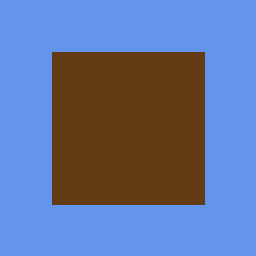
DualTextureEffect with both texture stages bound: the output colour is the per-channel product of the two samples, which is why it lands well below the brightness of either input. This is genuine Microsoft XNA 4.0 runtime output from CNA's oracle corpus (tools/xna-oracle/), diffed against CNA's DIRECTX9 renderer at --tolerance 0.
Limitations
DualTextureEffect provides static lighting only. The lightmap is baked once offline. Dynamic objects (characters, moving platforms, projectiles) cannot participate in lightmapped lighting — they require a separate dynamic lighting effect. Moving static geometry invalidates the bake.
- No dynamic lights: Point lights, spotlights, and other dynamic light sources are not reflected by the lightmap unless you re-bake. For mixed static + dynamic lighting use a combination of lightmaps (for static light) and a custom effect with runtime light evaluation (for dynamic light).
- Re-bake on geometry change: If a wall moves by even one unit, the lightmap shadows become incorrect. Lightmaps are appropriate for fully static environments.
- Memory overhead: A 2048×2048 RGBA lightmap consumes 16 MB of VRAM. Large open worlds require lightmap atlasing across multiple textures.
- No animated lightmaps: You cannot smoothly interpolate between two baked lightmaps at runtime within
DualTextureEffect— that requires a custom effect with two samplers and a lerp uniform.
Complete Example: Lightmapped Room
class LightmapGame final : public Game {
    std::unique_ptr<DualTextureEffect> dualEffect_;
    Texture2D           diffuseTex_;
    Texture2D           lightmapTex_;
    std::unique_ptr<VertexBuffer>      roomVB_;
    std::unique_ptr<IndexBuffer>       roomIB_;
    int                                vertexCount_ = 0;
    int                                indexCount_ = 0;
    Matrix                             view_, projection_;   // your own camera matrices (Tutorial 34)

    void LoadContent() override {
        auto& gd = getGraphicsDeviceProperty();

        diffuseTex_  = getContentProperty().Load<Texture2D>("textures/brick_albedo");
        lightmapTex_ = getContentProperty().Load<Texture2D>("textures/room_lightmap");

        dualEffect_ = std::make_unique<DualTextureEffect>(gd);
        dualEffect_->setTextureProperty(&diffuseTex_);
        dualEffect_->setTexture2Property(&lightmapTex_);
        dualEffect_->setVertexColorEnabledProperty(false);
        dualEffect_->setDiffuseColorProperty(Vector3(1.0f, 1.0f, 1.0f));

        // Enable fog for depth cueing
        dualEffect_->setFogEnabledProperty(true);
        dualEffect_->setFogColorProperty(Vector3(0.1f, 0.1f, 0.12f));
        dualEffect_->setFogStartProperty(15.0f);
        dualEffect_->setFogEndProperty(50.0f);

        BuildRoomGeometry(gd);
    }

    void BuildRoomGeometry(GraphicsDevice& gd) {
        // Six-sided room: floor, ceiling, four walls
        // Each face has albedo UVs tiling 4x and unique lightmap UVs
        std::vector<VertexPositionDualTexture> verts;
        std::vector<uint16_t>                  indices;

        auto addQuad = [&](Vector3 a, Vector3 b, Vector3 c, Vector3 d,
                            float uvScale, Vector2 lm0, Vector2 lm1,
                            Vector2 lm2, Vector2 lm3) {
            uint16_t base = static_cast<uint16_t>(verts.size());
            verts.push_back({ a, Vector2(0,      uvScale), lm0 });
            verts.push_back({ b, Vector2(uvScale,uvScale), lm1 });
            verts.push_back({ c, Vector2(uvScale,0      ), lm2 });
            verts.push_back({ d, Vector2(0,      0      ), lm3 });
            indices.insert(indices.end(),
                { base, static_cast<uint16_t>(base+1), static_cast<uint16_t>(base+2),
                  base, static_cast<uint16_t>(base+2), static_cast<uint16_t>(base+3) });
        };

        // Floor (y=0), lightmap occupies top-left quarter of the atlas
        addQuad(
            {-5,0,-5}, { 5,0,-5}, { 5,0, 5}, {-5,0, 5}, 4.0f,
            {0,0},     {0.5f,0},  {0.5f,0.5f},{0,0.5f}
        );
        // ... add remaining faces similarly ...

        vertexCount_ = static_cast<int>(verts.size());
        indexCount_  = static_cast<int>(indices.size());

        roomVB_ = std::make_unique<VertexBuffer>(
            gd, VertexPositionDualTexture::Declaration(),
            vertexCount_, BufferUsage::WriteOnly);
        roomVB_->SetData(verts.data(), vertexCount_);

        roomIB_ = std::make_unique<IndexBuffer>(
            gd, IndexElementSize::SixteenBits,
            static_cast<int>(indices.size()), BufferUsage::WriteOnly);
        roomIB_->SetData(indices.data(), static_cast<int>(indices.size()));
    }

    void Draw(const GameTime&) override {
        auto& gd = getGraphicsDeviceProperty();
        gd.Clear(Color::Black);

        dualEffect_->setWorldProperty(Matrix::getIdentityProperty());
        dualEffect_->setViewProperty(view_);
        dualEffect_->setProjectionProperty(projection_);

        gd.SetVertexBuffer(roomVB_.get());
        gd.setIndicesProperty(roomIB_.get());
        for (auto& pass : dualEffect_->getCurrentTechniqueProperty()->getPassesProperty()) {
            pass.Apply();
            gd.DrawIndexedPrimitives(
                PrimitiveType::TriangleList,
                0, 0, vertexCount_, 0, indexCount_ / 3);
        }
        // No gd.Present(): Game presents in EndDraw().
    }
};
Deep dives on this topic
Long-form pages that explain the exact semantics, invariants and evidence behind this subject.
- The XNA stock effects: exact semantics, worked uses and verification history — BasicEffect, AlphaTestEffect, DualTextureEffect, EnvironmentMapEffect and SkinnedEffect in CNA: defaults, formulas, ordering traps, per-vertex versus per-pixel lighting, worked uses and the defect patterns behind the current code.